Which numbers should I show?
It is Friday afternoon and you wonder how the month is going. You open five tabs: the bank, the calendar, the stats, the inbox, the notes. By the third you have forgotten the question. One screen would have answered it in ten seconds.
Each tile must answer: what do I do differently if this number changes? If you cannot answer, the tile does not belong.
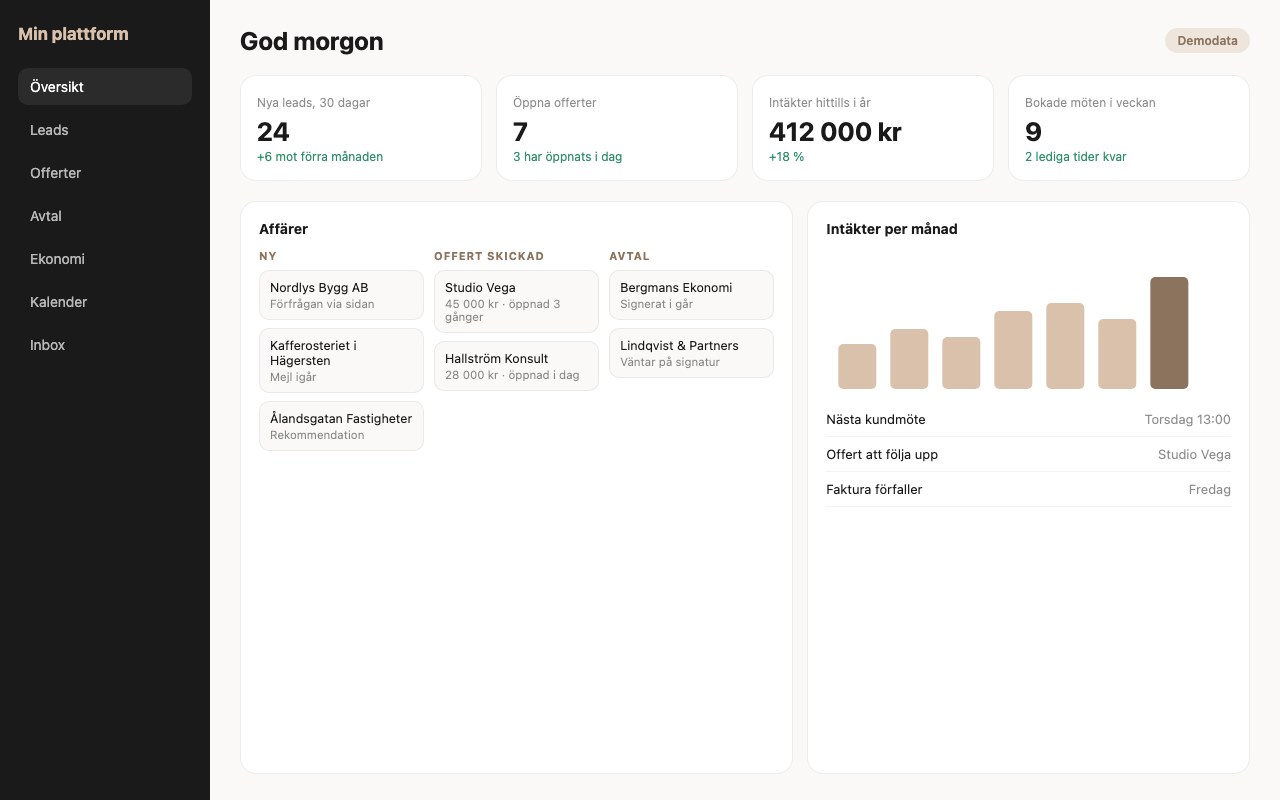
Pick your five
Choose up to six tiles. Each one should change what you do.
Build an admin page, only for me, with these 5 tiles: Bookings this month; Payments this month; Visitors, last 28 days; Top ten search queries; Late follow-ups. Read the data from these files: [files]. Use the colours and fonts in BRAND.md. One screen, no scrolling on a laptop. It must require a login and never be public, and it must not be indexed by search engines. Show me a sketch first.
Where do the numbers come from?
From the systems you already use: Stripe for payments, your booking system for bookings, Search Console for search, your client list for proposals. Start small: export each source as a file and let the agent read them. When you see that the screen is useful, the agent can connect the sources directly.
How do I protect it?
- A login, always. A dashboard with your numbers should not be open to anyone.
- Not indexed: ask the agent to check that the page has noindex and sits outside the sitemap.
- No personal data in the tiles unless you need it. Counts are usually enough.
- Passwords and keys in an environment file, not in the code that is published.
How do I use it without it becoming another job?
Once a week, fifteen minutes, together with your task overview. After each reading write down one decision: “I do more of X, I stop Y.” If you do nothing with what you see, the dashboard is too big.
The guide on the task overview and daily briefing shows how to read the two together: task overview.
What becomes possible?
An overview can be more than numbers. It can show what happens if you change something.
- A slider for price and number of clients that shows what happens to revenue.
- A forecast for the month, based on bookings you already have.
- A warning when something moves the wrong way, like fewer bookings than usual.
- A summary by email every Monday.
From the five numbers on my dashboard: which questions should I be able to ask that it does not answer today? Suggest three additions that help me make a decision, like a forecast, a slider or a warning, and sketch them.
Questions people ask
Do I need my own servers?
No. A simple page with a login can sit with the same service as your site. The agent can set it up.
Can I get the numbers automatically?
Yes, once you have seen that the screen is useful. Start with files so you do not connect the wrong things for nothing.

Who is writing this
I am Nathaniel, a commercial operator. For twenty years, across four continents and more than fifteen ventures, I have taken research and young companies from idea to customer. Two KTH spin-offs reached joint development agreements with Fortune 500 partners. An indoor farm sold its full production within about ninety days and ended in a joint venture exit. This year I am a commercial expert for the European Innovation Council's Tech to Market programme. Now I build agents, because the hard part of new technology is rarely the technology. It is getting people to want it and use it.
Want to do this together?
In two hours I can build this with you: Admin and dashboard.